
Caring for a parent is a lot. Get the plan out of your head.
Hand Rail turns Claude, ChatGPT, Gemini or Grok into an organised, steady helper for adult children looking after an aging parent. Build a care plan and a medication chart, prepare questions for appointments, make the house safer, compare care options with real costs, know which papers to ask a lawyer about, and find respite before you run out of road.
Get Hand Rail Caregiver Guide for $5 Compare care costs
$5 once · card, Apple Pay or Google Pay · download in a minute
Into more than one hobby? Get all 70 hobby skills for $19, this one included.
- One-time $5
- Instant email delivery
- 14-day refund
- Works in Claude, ChatGPT, Gemini and Grok
Care plan: Mom, 82, lives alone
Early memory changes · one fall in May · you live 40 minutes away
3 siblings sharingMedicare plus supplementWants to stay home
- This weekGrab bars, night lights, remove the hall rugsBathroom and the night path prevent the most fallsSafety
- MedsOne chart, 4 times a day, weekly pill organiserCopied from the labels; pharmacist reviews the listOrganise
- VisitAsk the doctor for a falls and memory check6 questions to bring, plus the medication listAppointment
- PapersPower of attorney and health care proxyQuestions for an elder law attorney in her stateLawyer
- YouRespite: 4 hours a week of adult day careAbout $95 a day; ask the Area Agency on Aging about helpRespite
The caregiving jobs nobody hands you a manual for
One skill, six jobs. Claude, ChatGPT, Gemini or Grok picks the right one from what you ask.
Care plans
A one-page plan of who does what and when, shared across siblings, with daily, weekly and monthly tasks.
Medication charts
Daily charts and a full medication list copied from the labels, to organise care. It never suggests doses or changes.
Appointment prep
The questions to bring, what to write down, and a short summary you can hand the doctor.
Home safety
Room-by-room checklists for falls, fire, scalds and wandering, in priority order.
Care options and costs
Home care, adult day, assisted living, memory care and nursing homes compared, with cost worksheets and tour questions.
Papers and burnout
Which documents to ask a lawyer about in your parent's state, plus respite options and help for you.
Ask it like you'd ask a friend who's been through it
It knows how care, costs and paperwork fit together, and when you need a professional.
Start with three things this week
- One medication list. Photograph every bottle, including vitamins and over-the-counter ones, and I'll turn it into a daily chart by time. Then ask his pharmacist to review the whole list.
- Make missed doses hard. A weekly pill organiser you or a neighbour fills on Sundays, plus a daily phone reminder. If he's doubling up, ask the pharmacy about blister packs or a locked automatic dispenser.
- Tell his doctor. New forgetfulness is worth a visit. I'll write the questions to bring.
Then share the load
Split tasks with your sister by what each of you can do from a distance: one owns pills and pharmacy, one owns appointments. A 10-minute call each Sunday keeps you both in the loop.
Get help now if
He's taken extra doses, seems suddenly confused or very drowsy: call Poison Control at 1-800-222-1222 or 911.
Example answer from the full skill. Your answers depend on what you ask.
Honest about caregiving
You're juggling a parent, a job and your own life. Hand Rail keeps things clear and kind.
- Organising, not prescribingIt builds charts from the labels. Doses, changes and interactions are for the doctor and pharmacist.
- Not legal advicePower of attorney, advance directives and Medicaid rules vary by state. It lists the questions; an elder law attorney answers them.
- Real costs, shownCost worksheets show their working and use your local quotes, not just national averages.
- You count tooBurnout is real. It builds respite into the plan and points you to support lines.
Up and running in two minutes
No app to learn and nothing to install on your computer. It lives inside Claude, ChatGPT, Gemini or Grok.
Buy once
Pay $5 by card, Apple Pay or Google Pay. Your download link arrives by email in about a minute.
Add it to Claude, ChatGPT, Gemini or Grok
Upload the ZIP under Skills in Claude, or the unzipped folder in Gemini. It takes about 30 seconds. In Grok, upload the ZIP, or paste the included paste-in file into a new skill. In ChatGPT, add the included paste-in file to a Project.
Just ask
"Make a medication chart from these labels." "What should I ask Mom's neurologist?" "Compare assisted living with home care for Dad."
Pick your app for the exact clicks
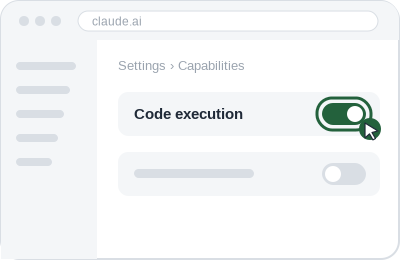
1In Settings, then Capabilities, turn on code execution.
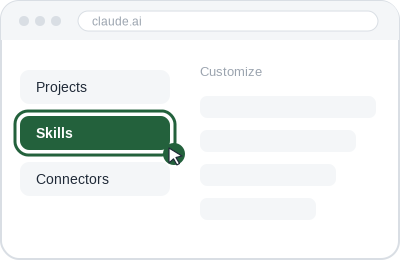
2Open Customize, then Skills.
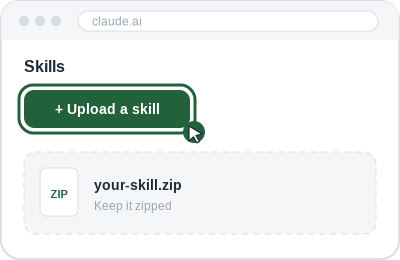
3Click +, choose Upload a skill, pick the ZIP. Keep it zipped.
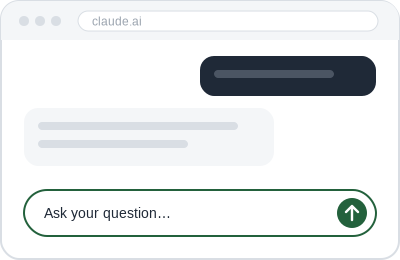
4Start a new chat and ask. Claude picks up the skill.
Works on every Claude plan, including the free one. Free plans have lower usage limits.
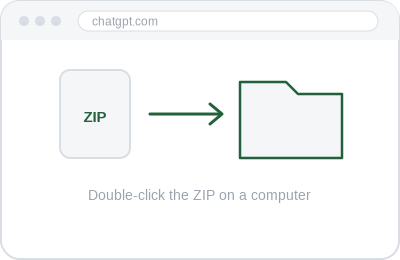
1On a computer, unzip the download and find ANY-AI-PASTE-VERSION.txt.
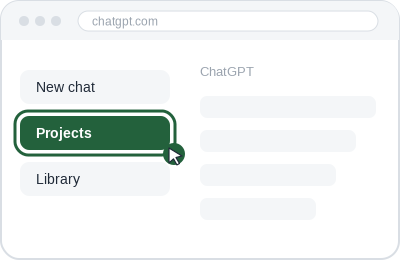
2In ChatGPT, open Projects and make a new project.
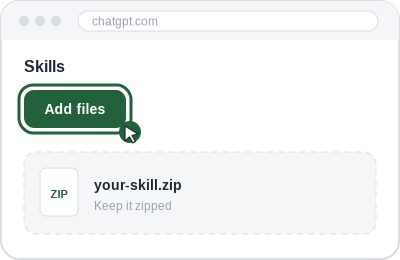
3Add the .txt file to the project. In its instructions, type: Follow the attached file.
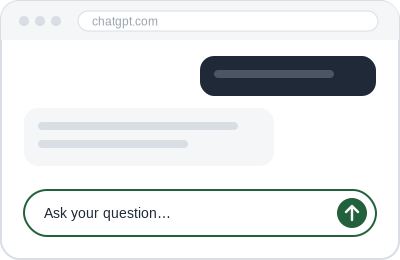
4Start a chat in that project and ask. On a Business, Enterprise or Edu plan, you can upload the ZIP under Skills instead.
Personal ChatGPT plans (Free, Plus, Pro) don't have a Skills page yet, so you use the paste-in version in a Project. On a Business, Enterprise or Edu plan, go to chatgpt.com/skills, choose Add, then Upload from your computer.
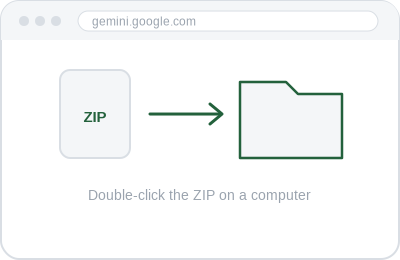
1On a computer, unzip the download. You get a folder.
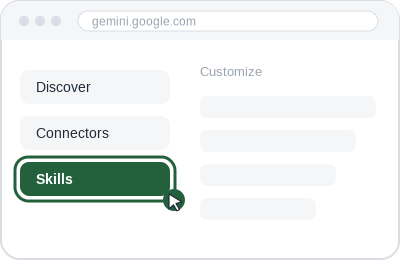
2At gemini.google.com, open Customize, then Skills.
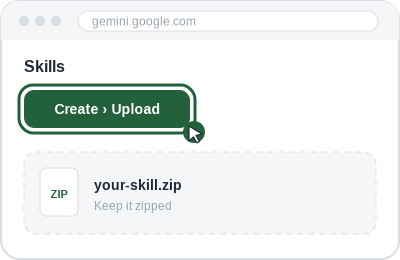
3Choose Create, then Upload, then folder. Pick the unzipped folder.
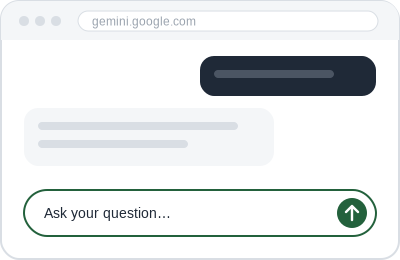
4Start a new chat and ask.
Gemini takes the unzipped folder, not the ZIP. Menus in Gemini change often, so names may differ slightly.
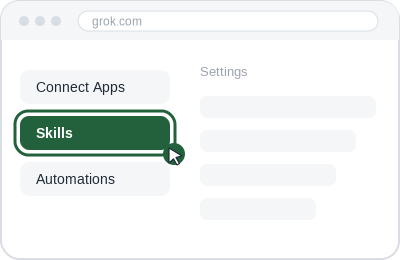
1At grok.com, open Settings, then Skills.
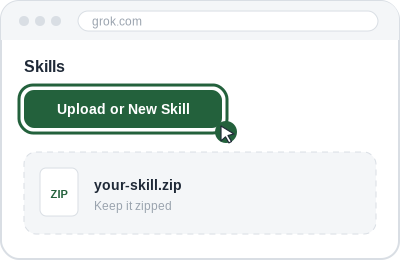
2If you see Upload, pick the ZIP. If you only see New Skill, use the next step.
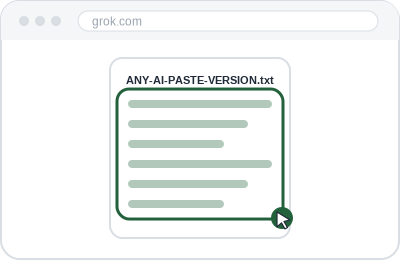
3New Skill: name it, then paste the text of ANY-AI-PASTE-VERSION.txt (below the line of equals signs) into Instructions.
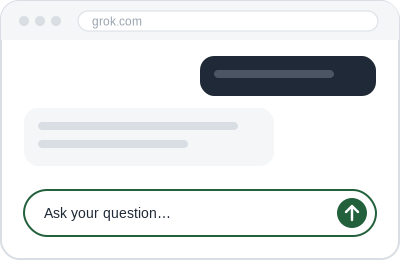
4Save it, start a new chat and ask.
Some Grok plans upload the ZIP; others show a New Skill form, where you paste the skill text in. Menus in Grok change often, so names may differ slightly.
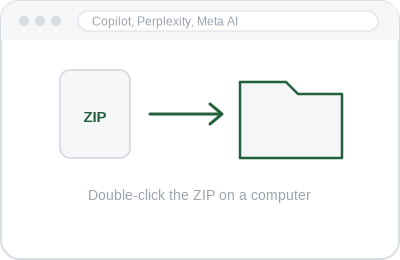
1No Skills page? Unzip the download on a computer.
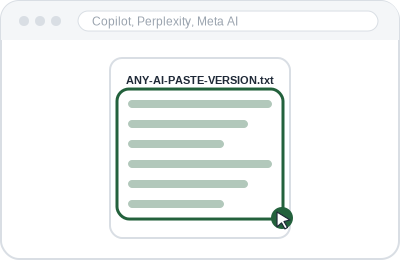
2Open ANY-AI-PASTE-VERSION.txt and copy everything.
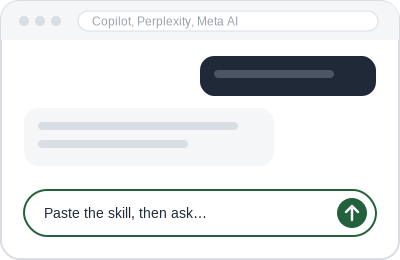
3Paste it into a new chat, then ask your question.
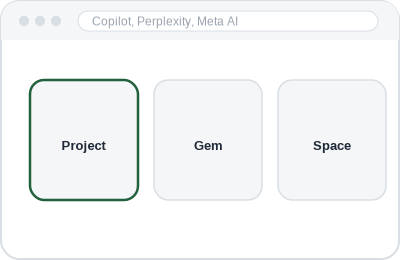
4To keep it on, add it to a ChatGPT Project, Gemini Gem or Perplexity Space.
Using Claude Code, Codex, Cursor or another coding agent? Unzip it into the skills folder, for example unzip hand-rail-caregiver-guide.zip -d ~/.claude/skills/
On your phone? Go ahead and buy: the download link goes to your email and works for a year. Adding a skill is easiest from a computer, in a web browser or the desktop app, so open that email there when you're ready. Want to try it on your phone today? Open the ZIP, copy ANY-AI-PASTE-VERSION.txt into any chat app, and ask.
Start with the free Care Card
A small skill that builds a one-page care summary for your parent: contacts, conditions, medicines from the labels, daily routine and who to call, ready for siblings, helpers or the ER.
- Contacts, doctors and pharmacy in one place
- Medication list copied from the labels
- Daily routine and emergency steps
Get Hand Rail Caregiver Guide
Pay once, use it as your parent's needs change. Includes the free Care Card too.
How to add it
Upload the ZIP under Skills in Claude, or the unzipped folder in Gemini (in Grok, upload the ZIP or paste the paste-in file into a new skill; in ChatGPT, add it to a Project), then start a new chat and try: "My mom is 84, lives alone, and had a fall last month. My brother and I live 30 minutes away. Help us make a care plan."
See the clicks for your app. Every download also comes with a paste-in version for any other chat, and a Start Here PDF.
Step-by-step guides with pictures: Claude · ChatGPT · Gemini · Grok
Hand Rail Caregiver Guide
Care plans, medication charts, appointments, home safety, care costs, paperwork and respite.
$5 one time
- Care plans shared across family
- Medication charts and lists (organisation only)
- Appointment question lists and visit summaries
- Room-by-room home safety checklists
- Care option comparisons with cost worksheets and tour questions
- Legal paperwork checklist to take to a lawyer
- Burnout check-ins and respite plans
- Updates for a year
Card, Apple Pay or Google Pay through Stripe. Taxes calculated at checkout. 14-day refund.
Giving it as a gift? Buy it, forward the email, and print a gift card.
See a real answer from the full skill
You ask: Dad keeps forgetting his pills and my sister and I live an hour away. What do we do first?
Start with three things this week
- One medication list. Photograph every bottle, including vitamins and over-the-counter ones, and I'll turn it into a daily chart by time. Then ask his pharmacist to review the whole list.
- Make missed doses hard. A weekly pill organiser you or a neighbour fills on Sundays, plus a daily phone reminder. If he's doubling up, ask the pharmacy about blister packs or a locked automatic dispenser.
- Tell his doctor. New forgetfulness is worth a visit. I'll write the questions to bring.
Then share the load
Split tasks with your sister by what each of you can do from a distance: one owns pills and pharmacy, one owns appointments. A 10-minute call each Sunday keeps you both in the loop.
Get help now if
He's taken extra doses, seems suddenly confused or very drowsy: call Poison Control at 1-800-222-1222 or 911.
Into more than one hobby? The Skill Pass gets you all 70 hobby skills, this one included, for $19.
New to AI skills?
Hand Rail is a skill: a set of expert instructions you add to your own Claude, ChatGPT, Gemini or Grok account, so it answers like a caregiving guide who knows the craft.
- Using Gemini? Unzip it and upload the folder on its Skills page. Using Grok? Under Settings, Skills, upload the ZIP or paste the paste-in file into a new skill. Using ChatGPT? Add the included paste-in file to a Project.
- New to all of them? Claude is an AI assistant made by Anthropic. Make an account at claude.ai: skills work on every Claude plan, including the free one, with code execution turned on in Settings, Capabilities.
- Try the free Care Card skill first. If you like it, the full skill is one purchase.
Not ready for an AI app? The free senior care cost calculator on this site works in any browser, no account needed.
Free caregiving tools
No sign-up, they run in your browser.
Made by Nic Hubert, What If Labs
I run What If Labs from British Columbia, Canada. I build each skill with AI help and test it on real questions, and a separate reviewer checks it before it goes on sale. If it doesn't do what this page says, email me at hello@whatiflabs.ai and I'll fix it or refund you.
No reviews yet: this store is new. Tell me how it went and I'll use it to make the skill better.
Questions
Will it tell me what medicine my parent should take?
No. It organises what's on the labels into charts and lists, and helps you prepare questions. Doses, changes and interactions are for the prescriber and pharmacist.
Can it tell us whether Mom qualifies for Medicaid?
It explains the general rules and the questions to ask, but eligibility, asset rules and look-back periods vary by state. An elder law attorney or your local Area Agency on Aging can answer for your parent.
Does it cover dementia?
Yes: routines, home safety and wandering, communication tips, when memory care makes sense, and support for you. It doesn't diagnose; changes in memory are worth a doctor visit.
We're not in the US. Does it work?
The planning, safety and burnout parts work anywhere. Costs, benefits and legal documents differ by country, so it asks where your parent lives and points you to local services.
What do I need to use it?
A Claude, ChatGPT, Gemini or Grok account. In Claude it works on any plan, including the free one, with code execution turned on (Settings, Capabilities). Free accounts have lower usage limits, so long planning sessions go further on a paid plan. It works in Claude on the web, the desktop app and Claude Code. In Gemini and Grok, upload it on the Skills page. In ChatGPT, personal plans (Free, Plus, Pro) don't have Skills yet, so you add the included paste-in file to a ChatGPT Project; Business, Enterprise and Edu plans can upload the ZIP under Skills. Coding agents that read SKILL.md files work too. Using Copilot, Perplexity, Meta AI or another chat with no Skills page? Every download includes a paste-in version (ANY-AI-PASTE-VERSION.txt) that works in any AI chat.
What if it doesn't work for me?
Email hello@whatiflabs.ai within 14 days of buying and we'll refund you in full. No forms, no questions.
How is this different from just asking an AI?
A general AI answer is often vague or skips steps. The skill gives your AI an expert's method: what to ask you first, the checklists and calculations to run, and the mistakes to warn you about. You get consistent, specific answers instead of a different guess each time.
Do I pay every month?
No. It's a one-time price, and updates to the skill are free.
Can I get a refund?
Yes. Every purchase comes with a 14-day refund, no questions asked. Reply to your receipt email and we'll take care of it.
What if it gets something wrong?
It shows its working, so you can check numbers and dates. Tell it what's off and it will correct itself. For anything where a mistake costs money or safety, double-check before you act, as you would with any advice.
Is my information private?
The skill runs inside your own Claude, ChatGPT, Gemini or Grok account, and we never see your chats. When you buy, Stripe handles the payment and we keep your email and order so we can send the download. The terms and privacy page has the details.